By Bestboy editorial team · 2 min read
Bring notes, spreadsheets and public documents into Bestboy. Review the details, choose people and lists, then import.
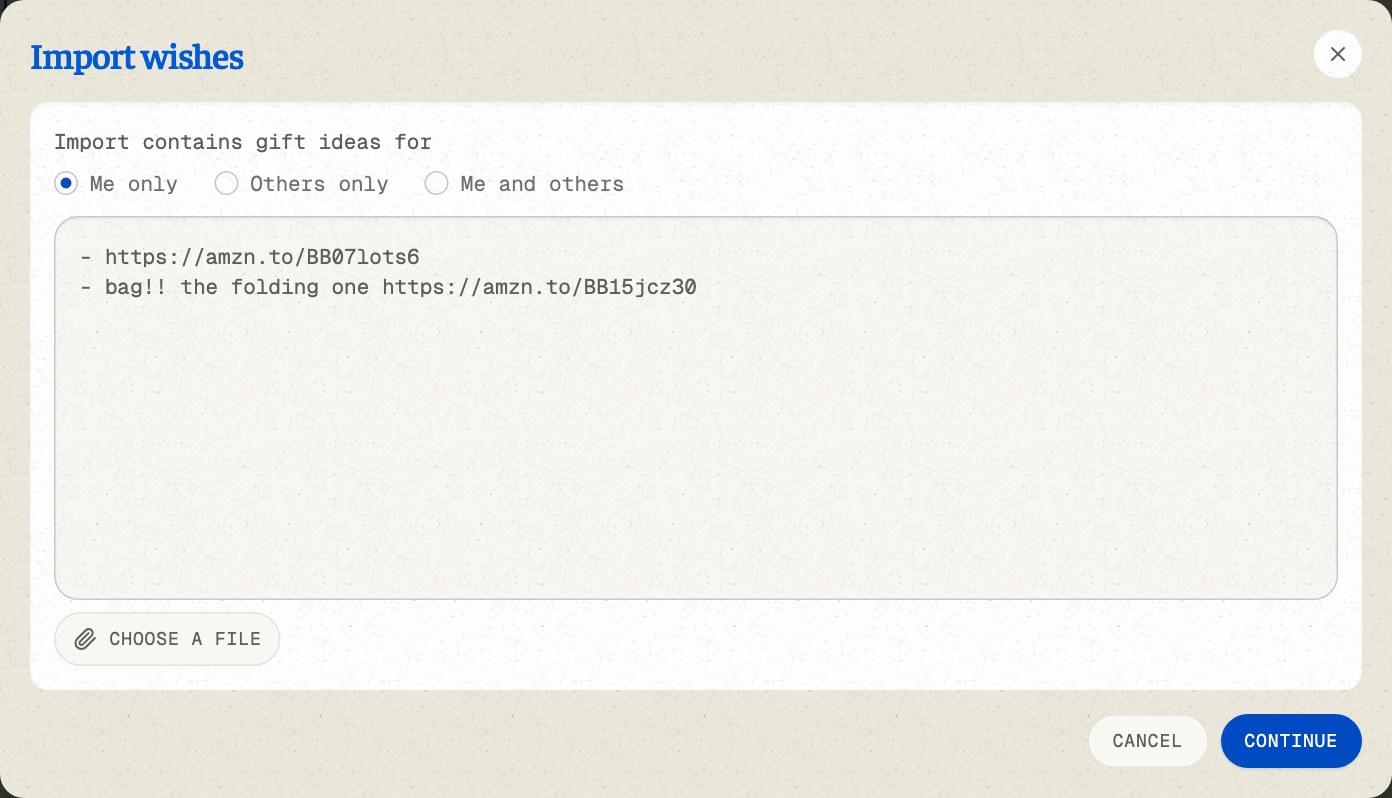
Got gift ideas in old notes or spreadsheets? Bring them into the web app. I’ll help turn them into wishes you can organise and share.
Messy notes are fine. Nothing is saved yet.
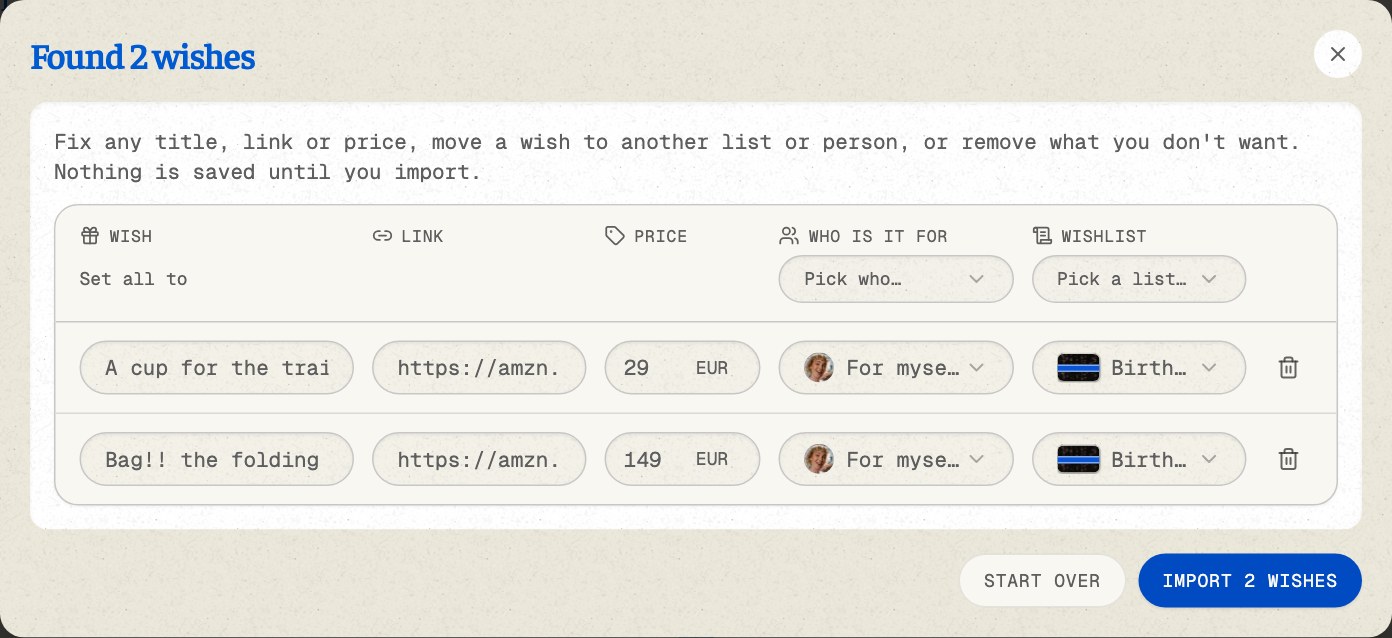
I find the ideas in your notes. For product links, I also look up titles and prices when the shop provides them.
I suggest people and lists from matching names and column headings. You make the final choice. On desktop, Set all to assigns every row at once.
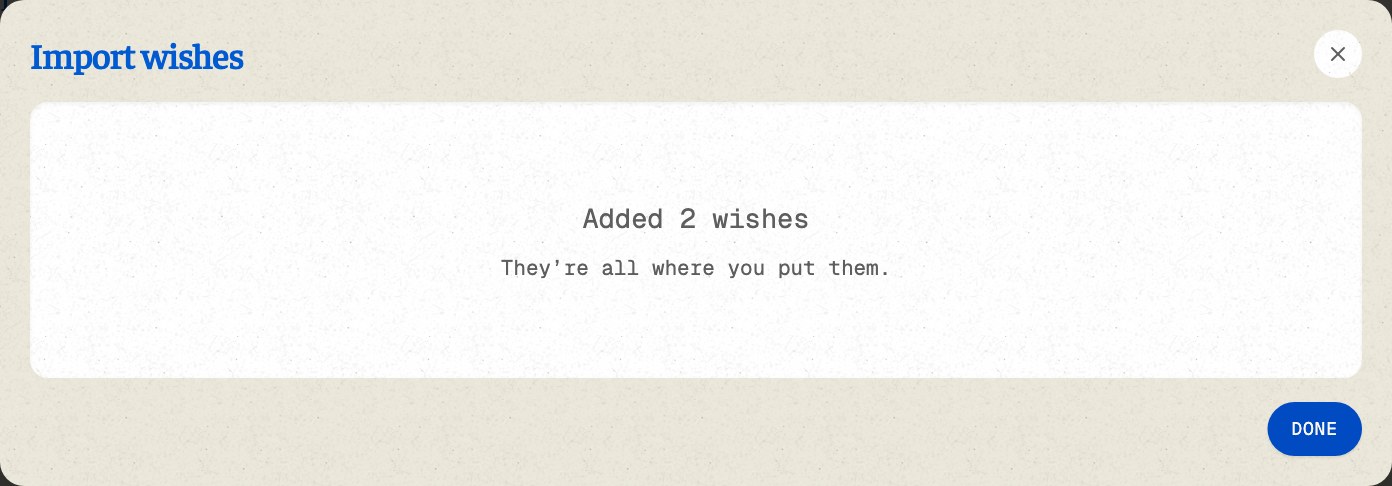
Your wishes are saved and assigned to the lists you chose. Ideas for someone else also appear under that person. Your original notes stay untouched.
Export Excel workbooks as CSV first. Scanned PDFs need their text copied or extracted first.
Example: Import notes and review wishes. Paste old notes into Import wishes, review the details, and choose a list before saving.
Yes. Paste the text and review the wishes I find. You can edit titles and assign people and lists. Without a product link, I can’t look up a shop’s title or price.
Export an Excel workbook as CSV or TSV, or copy and paste its cells. For PDFs, I need selectable text; I don’t read images or scanned pages.
Create them before starting the import. The review lets you choose from your existing people and lists.
Bring up to five files and three public document links, alongside pasted text. Each file can be up to 5 MB; PDFs can have up to 60 pages. I preview up to 200 wishes. Split larger collections into smaller batches.
No. Your sources stay untouched, and a private list stays private. Nothing is saved until you confirm the import. Afterward, you can edit the wishes or share a list yourself.
The document needs to be publicly readable without signing in. Check its sharing settings, or export a supported file or copy and paste the content instead. Only make a document public if you’re comfortable sharing what’s in it.